Software processing is now inseparable from most recording and mixing workflows. A plug-in can perform an operation as simple as adjusting a signal by a fraction of a decibel or as complicated as synthesizing a room's reverberant response. The workstation hosts the software and determines when it receives or generates audio. The plug-in performs its assigned task and returns the result. This relationship has enormous creative potential, but a reliable production environment requires more knowledge than a collection of processor presets.
Effects and instruments are different jobs
An effect receives audio that already exists. It may alter the frequency balance, change dynamics, introduce distortion, or delay the signal to create a spatial impression. An instrument typically produces audio from note data and control messages. It might generate a waveform mathematically or play pre-recorded samples. Both can be packaged as plug-ins, but a workstation needs to know whether an instance belongs on an audio channel or an instrument track. Some processors have additional inputs, such as a compressor that reacts to an external sidechain signal. The host is responsible for giving those inputs a meaningful route.
Choosing an effect can start with an observation rather than a product category. If a singer's voice disappears briefly behind a guitar, determine whether the problem is a few soft syllables, excessive low-mid energy in the accompaniment, or a simple balance issue. A compressor addresses changing level, whereas a selective adjustment to the guitar's frequency balance might open space. If a small fader adjustment provides the answer, adding a complex processor would make the project less predictable without offering an audible benefit.
The order of processing changes its behavior
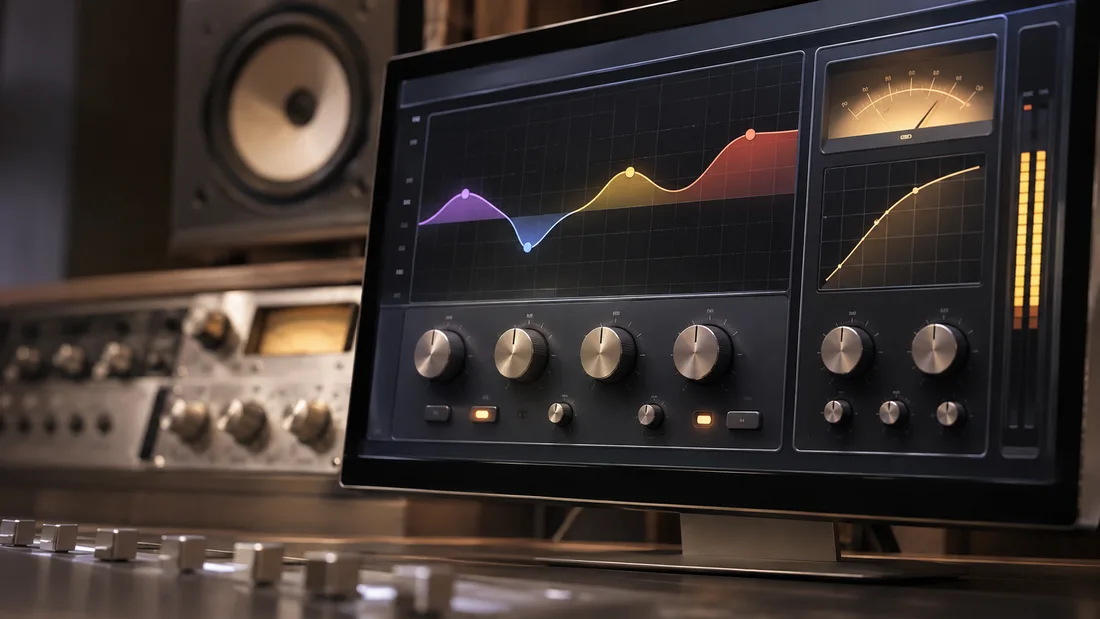
Imagine two effects connected in series: an equalizer followed by a compressor. Raising a bass frequency before the compressor may send a greater amount of energy to its detector. The compressor will respond to that change, and the gain reduction might affect other parts of the signal too. Applying the same equalizer after the compressor need not cause the dynamics processor to respond differently. This is one reason a list of settings cannot fully describe the sound of a chain. The route through the processors matters.
The principle is easy to explore with an exaggerated adjustment. Duplicate a four-bar recording of a kick drum and bass on two otherwise equivalent tracks. Put a low-frequency boost before a dynamics processor on the first, and reverse the sequence on the second. Keep the output levels comparable and listen to the front of each note as well as its decline. This exercise is more informative than comparing two compressors at unrelated settings. It demonstrates that an instance does not interact only with the instrument named on the track; it reacts to whatever electrical or digital signal reaches its input.
Insertion, sends and parallel paths
An insert normally processes the complete channel signal before it proceeds to the next part of the mix. A send takes a copy to a second path. If three guitar tracks share a delay effect, sending them to one suitable return lets their individual delay amounts remain different while the overall effect is adjusted from a single channel. A common mixing convention is to use a fully wet processor on a dedicated return, because the original signal remains present in the main paths. When an effect is placed directly on a channel, its internal wet/dry control may be more appropriate.
Parallel processing means that the original signal and a modified version are combined. A second copy of a drum recording can be heavily compressed, for example, and mixed quietly underneath the original. Any unexpected delay between those paths risks changing the result, especially the frequency balance and perceived transient response. Workstations usually provide delay compensation, but the specific signal path still deserves inspection. Certain devices require extra preparation to process data, and unusual routing may behave differently than a simple series of inserts.
Plug-in formats and compatibility
A processor's visual interface can look exactly the same in two workstations while the software package underneath belongs to different formats. VST 3, Audio Units and AAX are examples of formats adopted by different hosts and platforms. The formats establish how the host and the processor communicate. They are not categories of musical sound. An equalizer does not inherently acquire a particular tonal character simply because its distribution package uses one format rather than another.
Compatibility depends on the workstation version, the operating system, its processor architecture, and the versions installed on the production computer. An old session might call for an effect that is no longer supported. The fact that a new product has an identical name does not guarantee the session will retrieve the same processor instance or reproduce its previous settings correctly. Retain installation and authorization information for important dependencies, keep copies of project presets when appropriate, and render irreplaceable tracks or finished stems alongside the live sessions.
Levels and the value of a fair comparison
People often prefer a louder version of a signal during a brief comparison. A plug-in that subtly increases output can appear to introduce warmth, detail or energy when part of the change is simply level. Use available meters and an output adjustment to establish a close match, then switch between the processing and a reference. A louder transient may be part of the effect itself, so there is no universal measurement that makes every comparison identical. The objective is to reduce the easily avoidable bias of a large gain difference.
Input level can also change the character of an effect. A modeled amplifier, tape process or saturator generally becomes more nonlinear as it is driven. A compressor has a threshold relative to the incoming signal. Raising the input on such processors is not equivalent to adding the same amount of gain afterwards. If a particular chain sounds unexpectedly harsh, inspect the gain through all its stages rather than evaluating the final fader alone. Some internal gain displays use scales tailored to a modeled device, making the software's documentation particularly useful during setup.
Processing capacity and oversampling
A real-time plug-in needs to complete each block of work before the workstation runs out of audio to play. A chain can operate normally on one track yet fail when used on dozens. Some processors implement oversampling: they perform certain internal calculations at a higher sampling rate and then return to the session's rate. This may be useful for reducing particular unwanted artifacts from nonlinear processing. However, higher oversampling can require extra processor time and introduce additional latency depending on the implementation.
Evaluate the need in context. Light saturation on a bass part, aggressive processing of bright percussion, and a short rendered effect all place different requirements on the result. A high-quality rendering mode might be appropriate during export while a lighter option keeps a writing session responsive. A processor that displays a higher number is not necessarily the better choice across the entire mix. Determine whether its practical advantage survives playback with the rest of the instruments.
Build a small, understandable processing chain
Store a few clearly named sessions that demonstrate ordinary production problems. One vocal edit might need no effect except a high-pass filter and occasional manual gain changes. A second may benefit from compression, and a third can show how a short delay supplies a sense of space. Compare the decisions behind those examples with the help of a reference mix. Useful training occurs when listening reveals why an operation became necessary.
The most flexible palette is not always the largest. Familiar processors with carefully chosen settings give an engineer a dependable vocabulary. New processors are worthwhile when they provide a capability that the existing setup lacks, shorten a repeated operation, or produce an audible result that would otherwise require an awkward chain. A manageable set of effects is also easier to maintain across hardware replacements and changing operating systems. The technical details belong in the service of a finished recording, not at the center of every creative decision.