The first useful adjustment in a mix is often the least glamorous: pull down a fader until the relationship between two instruments makes sense. Yet a project with sixty tracks can make even a simple starting balance time consuming. Software that analyzes the tracks and proposes equalization, compression or level changes addresses this preparatory work. Its recommendations deserve the same treatment as the suggestion of another engineer: listen, ask what problem it solves and decide whether it belongs in the production.
Automatic processing predates the use of artificial intelligence as a marketing term. An ordinary compressor responds to amplitude according to settings chosen by the mixer. A dynamic equalizer may react only when a band exceeds a threshold. More elaborate assistance can classify incoming signal, estimate relationships among tracks or predict settings from examples. By the early 2020s, these ideas were increasingly incorporated into commercial mixing and mastering workflows. The quality of the final result still rests on decisions that cannot be inferred from a spectrum alone.
Start with musical hierarchy
Before asking a tool to balance a session, identify the elements the audience must hear most clearly. A vocal-led ballad, a live jazz recording and an aggressive electronic arrangement call for different distributions of attention. In a sparse ballad, a nearly imperceptible guitar texture may be essential to the emotional space. In a dense electronic track, a defined relationship between the kick and bass might be the foundation of the entire mix. A single generalized loudness target will not establish either hierarchy.
Build a simple rough balance using faders and pan controls. Listen to one verse, one chorus and any unusual transition. Make notes about where instruments obscure each other and where the arrangement already sounds convincing. If the production has a rough mix approved by the artist, import it at the correct position and compare it at a matched playback level. This establishes context for evaluating any subsequent automated suggestion.
Automated analysis may regard an unusually dark acoustic guitar as an undesirable deviation from a reference. The recording might in fact have been deliberately made with an old ribbon microphone to achieve that effect. Identify intentional sonic choices before adjusting every track toward a standard tonal profile. A useful assistant should make an adjustment inspectable and reversible.
What automatic equalization can assess
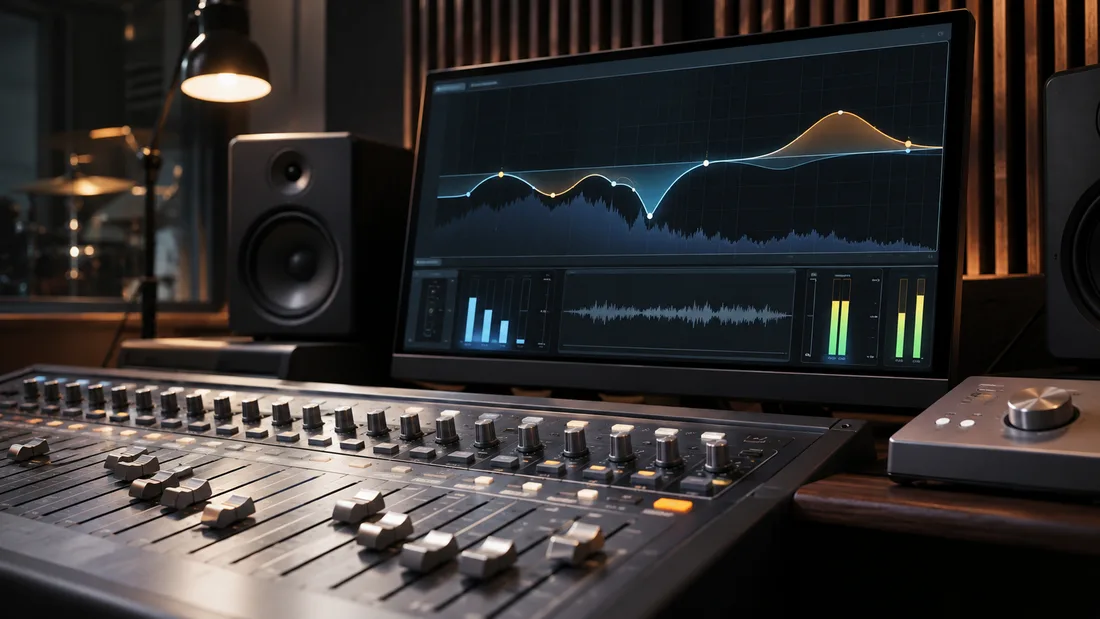
A spectrum analyzer displays energy distributed across frequency. From that representation an algorithm may identify persistent resonances, insufficient low-frequency content or broad differences compared with a target curve. It may recommend a high-pass filter on a source classified as a vocal or a narrow cut in a conspicuous resonant band. These operations are easy for an experienced mixer to audition quickly.
The measurements contain ambiguity. A resonant note might belong to the musical material instead of the room or instrument. A bright cymbal may be meant to mark the beginning of a section. The same curve can be appropriate for an isolated vocal and excessive for that vocal alongside a bright guitar arrangement. A system analyzing all channels jointly can potentially recognize some conflicts, but the fact that two tracks contain overlapping frequencies does not establish that one should be cut.
If an equalization recommendation removes energy around a particular frequency, check it in the context of sustained and transient passages. A narrow filter may be relieving a distracting ring or diminishing an important fundamental. Switch between the untreated version and the suggested setting at comparable output level. Try reducing the depth of the curve, or automate the treatment in the sections where the problem occurs. The best setting is sometimes a smaller version of the proposed correction.
Dynamics require attention to timing
A compressor reduces gain when the detected signal meets its operating conditions. The attack and release settings affect the shape of transient and sustained material. A fast attack may control the peaks of a plucked bass, but it may also diminish the articulation that lets the bass remain identifiable on a small playback speaker. A longer release can smooth level changes while causing gain reduction to continue into the next note.
An assistant might select a threshold and ratio to reach a nominal gain reduction. That metric does not reveal whether the resulting envelope complements a musical groove. Listen to several complete bars rather than an isolated hit. On drums, compare the snap of the transient, the audibility of the room and the recovery of gain between beats. On voices, review quiet endings as well as strongly emphasized consonants.
Do not assume that a bus compressor should be inserted because an automated workflow offers the option. A recording may already have been captured through substantial hardware processing. With sample-based material, some sources arrive heavily compressed and limited. The unnecessary second compressor can make one sound smaller without contributing useful stability. Meter readings show what the processor is doing; they do not independently establish that it is helping.
Balance suggestions and reference tracks
Automatic fader balance can be useful when opening a large unfamiliar session. It offers a place to start, particularly if the incoming tracks have very different nominal recording levels. Keep the original rough mix and place the suggested balance in a separate version. If the software changes pan positions or stereo width, note those decisions too, because the stereo layout affects which elements appear to compete.
Reference tracks help reveal broad tonal and dynamic differences, but choose them with care. A mastered release usually has different peak level and loudness from an unmastered session. Comparing them without adjusting playback level will favor the louder recording. A reference may also have a different arrangement, so its spectral balance reflects instruments not present in the current work. Matching every band would not necessarily reproduce the perceived aesthetic.
For a useful reference comparison, listen to related moments: a chorus against another chorus, a sparse verse against a similarly sparse section. Reduce the reference to a compatible level and switch at short intervals. Examine low-end weight, presence of the central elements, depth and overall dynamic movement. Numerical readouts may help diagnose discrepancies, but they should lead to a purposeful listening check.
A versioning strategy for assisted processing
Save a version of the project before committing to an analysis pass. A change history that records each individual insertion and parameter adjustment is particularly valuable if the program operates across many channels. Name the new version clearly enough to identify its origin weeks later. Where possible, retain the ability to bypass the entire set of suggested changes without modifying other decisions made afterward.
For a large session, process a handful of related elements before scanning everything. Let an assistant analyze the lead voice and its main supporting instruments, for instance. Listen to the resulting balance, modify the settings and determine whether the style of suggestion is compatible with the project. An unhelpful approach is easier to remove from three channels than from forty.
Consider freezing or printing tracks only after the settings have been accepted. Offline rendering can reduce system load and simplify later transfers, but replacing source media with a processed version may prevent the engineer from revisiting a decision. Keep dry versions of essential recordings, and document any processing that cannot easily be recreated on another machine. Projects often outlive the precise versions of their plug-ins.
Test the mix in a different listening environment
After the automated and manual stages are complete, export a mix and listen on a modest speaker, ordinary headphones and a system capable of reproducing the low frequencies. A change that looked helpful in the studio may disappear entirely on ordinary equipment. A vocal might remain easy to follow at a reduced playback level even if its measured spectrum differs from a target. These are outcomes that matter to the intended listener.
Pay attention to differences between sections, especially where the arrangement becomes fuller or the performer suddenly grows quieter. Static recommendations derived from an average analysis can miss these changes. Fader automation, small region-level edits and purposeful changes in reverb sends can often solve the problem more naturally than adding more global processing.
The practical test of an assistant is whether its use leaves more time for those specific musical decisions. Automated suggestions are valuable when they expose an overlooked resonance, shorten an initial balancing pass or make useful settings easier to compare. When they obscure the reasons for a change, the engineer should be willing to undo the adjustment and use ordinary controls instead.