A digital audio workstation is the room in which a large part of modern recording happens. It contains the arrangement, the individual recordings, the edits and the signal paths that eventually become a mix. It can also become an obstacle if the route between an idea and a finished recording involves too many awkward operations. Choosing a workstation is therefore a difficult decision to make from a table of technical specifications. A useful comparison begins with the type of project you expect to finish and moves outward to the actual work involved.
Ableton announced Live 10 on November 2, 2017, before its February 2018 release. The distinction between a product announcement and software that is actually shipping matters when evaluating the support and features of a workstation.
Start with your typical session
A singer who records a guitar part, layers harmonies and sends a stereo mix to a collaborator has a markedly different routine from a composer who maintains an enormous library of sampled orchestral instruments. A podcast producer might spend several hours removing redundant phrases from one conversation without touching a piano roll. A drummer could need to record twelve microphone channels simultaneously and make a single edit that keeps all the tracks in phase. All these jobs fall comfortably within the category of digital audio production, yet some workstations orient their screens and shortcuts around one of them more effectively than another.
Write down three specific operations that occupy most of your time. For a recording engineer, they might be routing several microphone inputs, replacing lines during a vocal session, and comparing the balance of two takes. Electronic musicians may care more about triggering loops, manipulating samples and experimenting with automation. The emphasis in many production environments is no longer simply recording a performance from beginning to end. Instruments and patterns may remain fluid until the evening before a deadline. A workstation organized around rapid arrangement changes makes those revisions less painful.
Evaluate the recording environment
Any serious audio editor needs to address the relationship between the computer, the interface and the performer. A musician must hear a response immediately enough for the performance to feel natural. The buffer size determines how much audio the workstation processes at a time, while drivers, software effects and instrument processing can contribute further delays. Therefore a tiny audio buffer is only part of the equation. Check whether the software can bypass high-latency processing during tracking, maintain a clean headphone mix, and display the relevant inputs without making an engineer navigate a crowded master bus.
Recording a second version of a performance should also be easy. A system that keeps alternate recordings organized in lanes or playlists makes it possible to hear the first verse from one performance and the second from another before committing. The important detail is the editing experience. A perfect take-selection system is less useful if the recording window hides the microphone level meter or another input needed at the same moment. Set aside enough time to record a genuine practice performance rather than drawing two imaginary tracks.
Editing and the arrangement view
Audio workstations differ noticeably in the way they present time. Some arrange media along a conventional left-to-right timeline, while others also provide clips that can be started independently from the linear arrangement. A timeline makes it easy to locate a chorus, but a clip-based view can help when composing material whose final structure is still unknown. Decide whether each song in your work follows a broadly predictable sequence or whether sections are frequently swapped and extended.
The humble task of trimming a region can reveal a great deal about a program. A well-designed editing environment lets you zoom to inspect the leading edge, change the crossfade, and listen immediately. When several tracks represent the same physical event, editing them together helps preserve the intended timing. For spoken-word projects, ripple editing can close downstream space when material is removed. For music, that same behavior can be disastrous if it moves an unrelated performance away from the beat. Understand not only whether these features exist but where their controls are and how easily you can tell which mode is active.
Routing and mixing
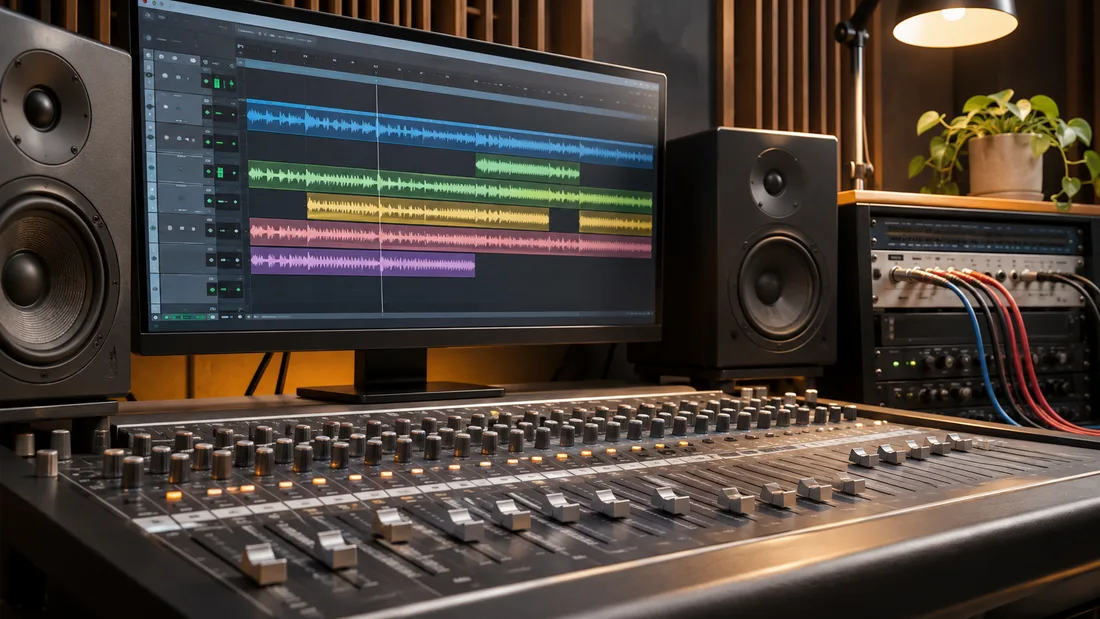
Routing is easiest to assess with a concrete example. Suppose a chorus contains five backing vocals. Route them to a stereo group so that the level of the arrangement can change through a single fader. Send a little of that group to a separate reverb and bring the return into the mix. Now listen to one singer alone, then to the group with its shared reverb, then to the complete chorus. The ability to see immediately where every signal goes is more valuable than an elaborate collection of effects whose destinations remain obscure.
A mixing engineer may want several versions of an arrangement, different metering configurations, and a way to inspect the settings along any individual channel. More complex production demands a reliable understanding of whether a delay compensation system keeps different routes aligned, especially when an effect processes audio ahead of time. Workstations generally handle these calculations automatically, but external inserts, unusual monitoring routes and parallel buses deserve particular attention. Make a modest routing exercise during an evaluation instead of assuming that a feature label guarantees the same behavior in every context.
Instruments, effects and the computer
Software is only one part of a production computer. The operating system, available memory, interface drivers and installed plug-ins influence both stability and session portability. If you already own a substantial set of instruments, determine whether the workstation supports their actual plug-in format. Do not assume that knowing the manufacturer is enough. A plug-in may be available on two platforms while a particular format remains unavailable on one.
Sample-based instruments also place different demands on a machine from relatively light audio processing plugins. Large libraries may need substantial storage, while an oversampled effect can consume more processor time than its simple visual interface suggests. The option to temporarily render an instrument track to audio can be valuable. It allows a composition to remain playable while reducing the computer's real-time processing workload. During a trial, build something representative of your largest regular session before drawing conclusions from idle processor measurements.
Session handoffs and licensing
Native project files can contain specialized edits, instrument settings and automation that another workstation cannot interpret. A collaborator working in the same system might appreciate receiving the complete project; someone using another environment will probably need rendered tracks. Ask what has to survive the handoff: raw performances, exact edits, processing, tempo information, or separate groups of instruments. A clear delivery standard can make it practical for two different workstations to coexist in a production chain.
Licensing shapes the experience as much as a feature list. Consider how many machines can run the program, whether access to your sessions depends on an active authorization, and how you would restore a session after losing a computer. The total cost includes software instruments, optional features and upgrades required for compatibility with your other equipment. Budget for those dependencies instead of allowing a low introductory price to dictate the rest of the studio.
Make an audition project
Try completing the same short recording in each candidate. Use an instrument or voice, import an existing stereo file, add a few tracks, revise one edit, route a shared effect, automate a level change, and export the result. Time spent learning an unfamiliar command is not proof that a program is poor. Look for recurrent friction instead. A particular recording task may require less preparation, its result may be clear sooner, or opening a new track might interrupt the creative process less frequently.
Finally, consider whether the skills acquired during that audition remain useful outside the workstation. Gain structure, phase relationships, musical timing and an understanding of signal flow transfer almost anywhere. An engineer who knows those subjects can find a familiar path even when the interface changes. A good workstation does not determine whether a project is musical or expressive; it provides a dependable place for those decisions. The best argument for a program is the set of recordings you can finish in it without repeatedly thinking about the program itself.