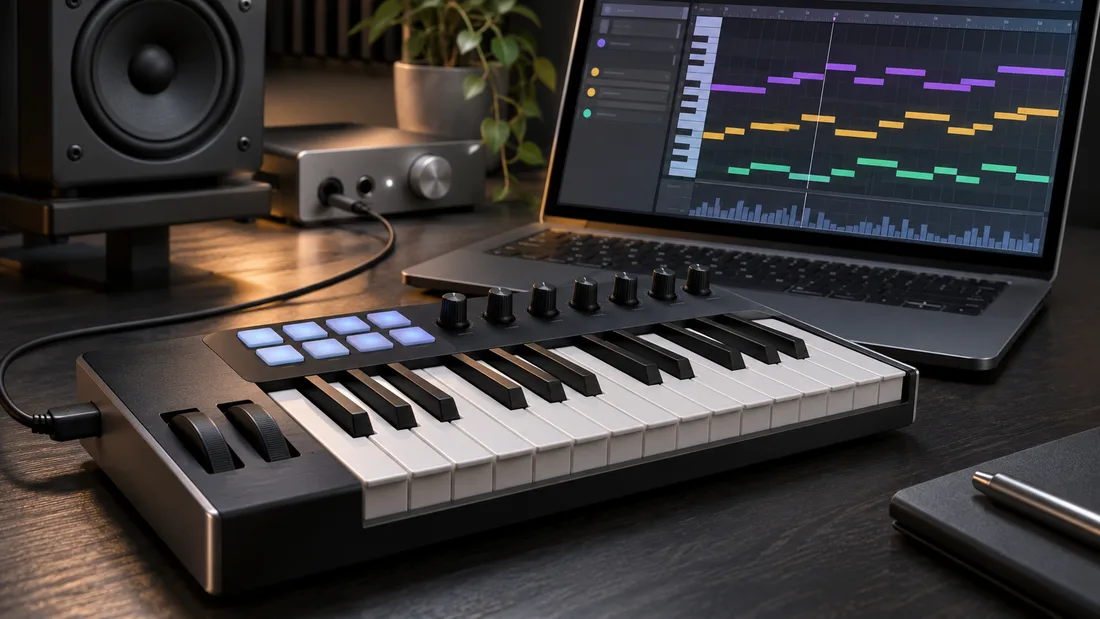
A virtual instrument can sit behind a remarkably modest track in a recording session. A few short note events appear on the screen while the instrument produces an orchestral texture, a piano part or an elaborate electronic sound. That elegant separation between score and audio can also lead to a misleading impression: adding a first-rate sample library does not necessarily make a programmed performance convincing. The way in which a sound is produced and controlled remains fundamental to the musical result.
How the instrument makes its sound
Many virtual instruments rely on synthesis. In a common subtractive approach, oscillators provide a signal, filters shape its spectrum and envelopes change parameters over the course of a note. Other synthesis methods generate and transform sound through different mathematical processes. The advantage is that an instrument can respond continuously to parameter changes, sometimes producing combinations of timbre, pitch and motion that are difficult to realize through a recording of a physical instrument.
A sampler begins from recorded material. To construct a playable piano, for example, it might draw on recordings of individual notes made at several playing intensities. Selecting among those recordings and changing their playback parameters creates the sound of the instrument under the player's control. A comprehensive library can incorporate additional recordings for the release of keys and the behavior of pedals. A hybrid design may use recorded transients alongside synthesized elements, or add effects and modeled interactions to the captured source. Decide what the virtual instrument is intended to do before attempting to reproduce its behavior.
Why velocity is not just a volume knob
A low-velocity piano note usually differs in more than level from one struck firmly. The attack and distribution of energy across harmonics change with the physical action that produced it. A sample library with several dynamic layers can represent some of these differences. When a sequence sets every note to one uniform velocity, the resulting sounds may repeatedly come from the same narrow group of recordings. Raising the channel fader later does not produce the missing variation in tone.
Consider how a musician would shape the line. Accents may occur regularly according to the meter, but phrasing can create its own hierarchy. A leading note may require emphasis before the following note settles into a quieter state. An accompaniment that consists of broken chords may still have a principal voice inside it. Vary velocities according to those relationships and hear the changes in the actual instrument instead of judging them from the relative height of the bars in a MIDI editor.
Articulation is part of the arrangement
When composers write acoustic-instrument parts, they typically communicate more than pitch and duration. A string player distinguishes a long bowed note from a short detached stroke, and the transition between successive notes can alter the character of a phrase. Libraries may provide separate articulations for these actions. A note pattern that uses one articulation throughout can sound artificial even when its timings are otherwise appropriate. Choosing the articulation is comparable to deciding how the phrase should be played.
Software offers several methods of selecting among articulations. One common implementation assigns special note events outside the ordinary playing range to switch the active sound. These events should occur before the intended musical notes, not after them. Other systems may use expression maps or messages associated with named articulations. The exact mapping belongs to the specific instrument and workstation. Preserve it when exporting or sharing a session, and be careful not to transpose articulation triggers along with the actual musical notes.
Build believable transitions
Playing two sustained notes consecutively is not always the same as connecting them in a natural musical gesture. Some libraries provide legato behavior using sampled transitions or a programmed approximation. Such instruments may pay particular attention to the overlap or spacing between notes. If a sequence produces an ordinary attack at every onset, the phrasing can feel detached. Adjust the notes with the intended articulation selected and evaluate whether the timeline accurately reflects the desired playing technique.
Repeated samples present a related challenge. A drummer never hits precisely the same point on a drum with an identical physical movement on every beat. Replaying a single recording in rapid succession can create a conspicuous uniform effect. Some libraries alternate among several different source samples for this reason. A programmed pattern still benefits from well-judged velocity and timing, especially when the drummer's right and left hands would naturally give different emphasis to different strokes. The sample library supplies available variation; the arrangement selects where that variation belongs.
Give each instrument its own role in the ensemble
A section of sampled strings may already contain ambience from a particular recording space. A synthetic lead may have no meaningful acoustic environment until its patch or mixer introduces one. Adding the same long reverb to everything does not necessarily place both sounds in a coherent space. Start with the apparent distance and width of each instrument. Where a library offers microphone positions, determine which position supplies useful detail and which adds room sound. Use the combination to establish perspective before attempting a corrective process on every channel.
Register also matters. A part can sound satisfactory while played alone but occupy an uncomfortable range for an arrangement. A realistic bass instrument rendered at high intensity may mask a piano part that uses the same region. An orchestral library can make a dense group of chords sound impressive in isolation, yet that group can obscure the melody. Remove a few notes, alter the register, or give the passage to a smaller ensemble. Those compositional changes may reveal more detail than an equalizer placed after the library's output.
Consider processing and computer resources
Resource requirements vary dramatically. A synthesizer may calculate several oscillators, filters and nonlinear processes for each active voice. A sample-based instrument can consume storage throughput and memory when large groups of recordings are streamed or loaded. During heavily sustained passages, many voices may remain active simultaneously. Release samples and reverberant tails can extend this usage beyond the apparent end of the notes. A simple-looking sequence is therefore not always cheap for the production computer to play.
When the session grows, decide which parts still need frequent changes. Workstation features that temporarily render a track's output to audio can help preserve performance capacity for recording or adjusting other instruments. Keep the editable source where possible and avoid treating the rendered version as an unrelated replacement. If an instrument uses multiple outputs, render or record them with a clear plan for subsequent mixing. A percussion instrument might need individual kick and overhead channels rather than one permanent stereo signal.
Design a part around expressive control
One useful exercise is to produce two versions of a small melody with the same instrument. In the first, use identical note velocities and durations with precise grid alignment. In the second, imagine a performer delivering the notes as a single phrase. Introduce meaningful changes to articulation and expression, and alter only the timings that need to feel different. The objective is not constant randomness. Compare the behavior of the phrase at its important points: the first attack, movement toward an accent, and the way the last note ends.
Electronic sounds deserve the same care even when they are not intended to imitate anything acoustic. A filtered chord can gradually become bright as its part develops, a sustained tone can move through several colors, and changes in modulation can make a repeated figure evolve. A sequence with a strong identity may deliberately retain mechanically precise timing while the sound changes extensively. Realism is only one reason to use expressive control. The broader challenge is to choose details that support the listener's understanding of the music.
Save the final instrument presets and the project's relevant automation or controller data. When an important sound depends on a library or an external instrument, retain a stable audio render. That version offers a useful reference even if the virtual instrument is replaced years later. The editable material preserves the opportunity to change the performance, while a rendered copy preserves what the production actually sounded like. Both belong in a thoughtful virtual instrument workflow.